

AI-Drafted Retrospectives
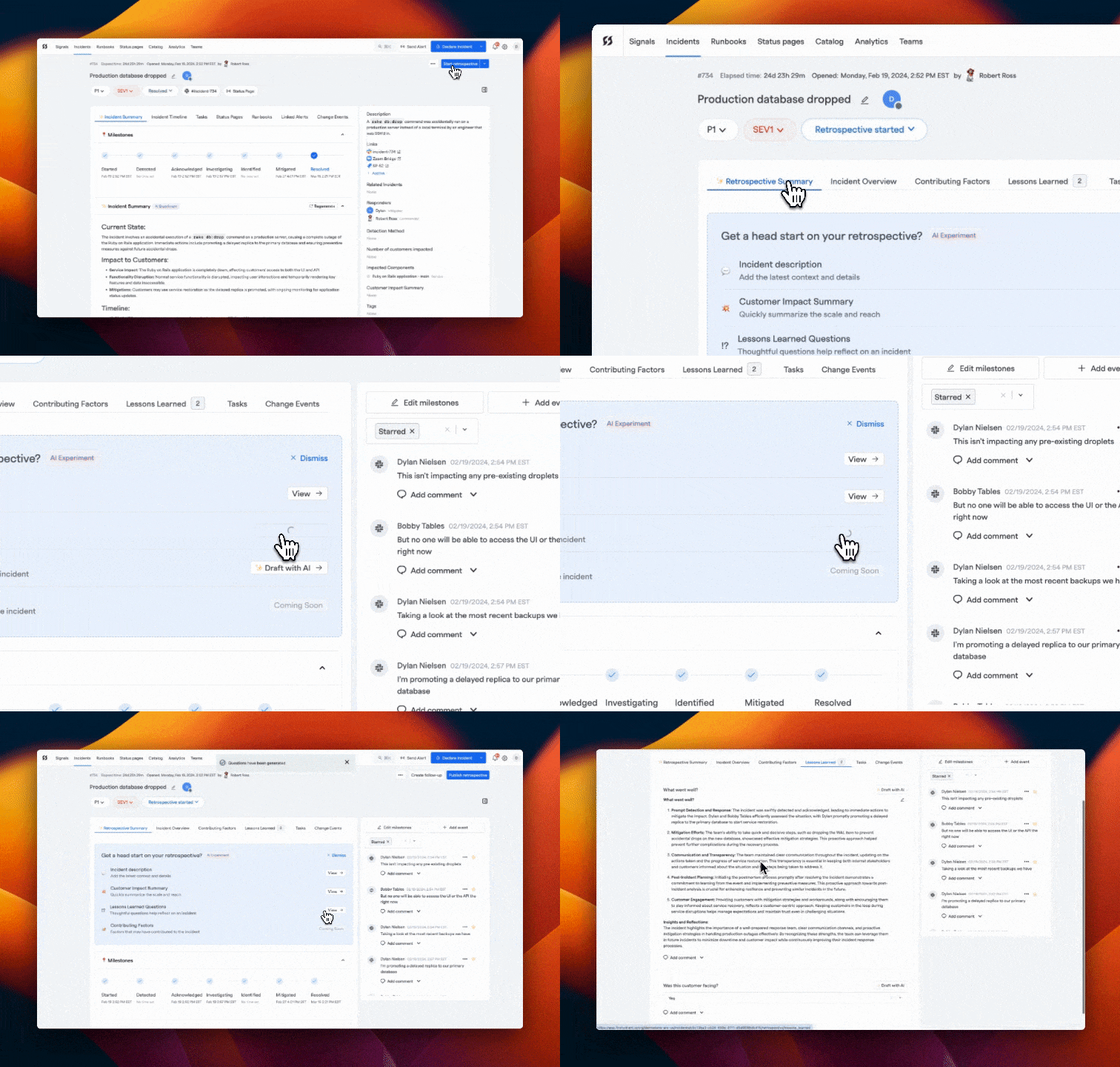
Get a head start on learning from every incident with FireHydrant's AI-Drafted Retrospectives. This feature leverages AI to create detailed drafts for your retrospectives, incorporating essential incident insights and facilitating a focus on discussion and improvement.
Overview
Upon incident resolution, AI-Drafted Retrospectives generate a comprehensive draft that includes a structured overview of the incident, timelines, impacts, and preliminary Lessons Learned. These drafts are designed to kickstart your retrospective discussions, ensuring a thorough review and identification of actionable improvements.
Drafting a retrospective
FireHydrant uses AI to draft answers for custom questions and sections defined in your retrospective template. When you open a retrospective, you’ll see the template’s questions and sections, and you can use AI to generate draft answers for individual questions.
How AI Drafting Works
When you click "Draft with AI" next to any question in your retrospective template, FireHydrant will:
- Analyze the incident’s timeline, details, and context
- Review any linked meeting transcripts
- Generate a draft answer tailored to the specific question being asked
Common Retrospective Questions and AI Drafting
Your retrospective template may include any custom questions. FireHydrant's AI can draft answers for these questions based on incident context, timeline, and meeting transcripts. Some examples of common retrospective questions include:
- Incident Description - The AI can summarize the incident at a high level, providing details about current status, impacted components, and mitigation steps.
- Customer Impact - The AI can summarize customer impact based on incident fields, timeline, and meeting transcripts.
- Contributing Factors - The AI uses a structured 5 Whys analysis to identify systemic factors that contributed to the incident or delayed resolution.
- Lessons Learned - The AI can generate insights and learnings based on how the incident unfolded.
- Follow-Ups - The AI can suggest follow-up actions and improvements for the engineering team.
Using AI Drafts
The AI-generated drafts provide a starting point for discussion:
- Draft answers can be reviewed, edited, or completely rewritten before publishing the retrospective
- You can draft individual questions independently or use AI to draft all questions at once
- Drafting is optional—you can write answers manually if you prefer
- All drafts are suggestions and should be validated by your team before finalizing the retrospective
This AI-assisted approach ensures retrospectives are focused, comprehensive, and aligned with your organizational goals while still giving your team full control over the final content.
Updated 6 months ago